Before you can use a DMR radio on a digital network, there is one important difference to understand compared with traditional analog FM: your radio needs a digital identity. This identity is your DMR Radio ID.
What is a DMR ID?
In analog amateur radio, your callsign identifies you when you transmit. DMR additionally uses a numerical identifier to identify the transmitting radio within the digital network. A DMR Radio ID is therefore a unique numerical identifier that is linked to your amateur radio callsign.
Technically, the DMR ID is transmitted as part of the digital DMR data alongside your voice. The repeater or network can use this information to identify the source of the transmission and route the call to the appropriate destination.
This is one of the fundamental differences between conventional analog FM and networked DMR operation.
Why do I need a DMR ID?
Your DMR ID is used whenever your radio communicates through a DMR network.
It allows the network to associate your transmission with your station and is also used for functions such as:
- Identifying the transmitting station
- Routing Private Calls
- Displaying callsigns through contact databases
- Identifying users on DMR network dashboards and logs
Your DMR ID is therefore not a Talk Group ID and it is not a password. It identifies you. Talk Groups, on the other hand, identify where you want your transmission to go. Once you understand this distinction, the rest of the DMR configuration becomes much easier.
Your personal DMR ID is issued through RadioID.net and is normally the same ID you use across different DMR radios and compatible networks. RadioID.net provides the DMR user database and associated services. The following sections explain how to obtain your DMR ID and which additional network registrations may be required.
Get your DMR Radio ID
Your DMR Radio ID is your unique digital identity within the DMR network. It is associated with your amateur radio callsign and is transmitted by your radio when you transmit in DMR mode. The network uses this number to identify your station.
The international DMR ID database is provided by: RadioID.net
Create an account there and apply for your personal DMR ID. You will need to provide your amateur radio callsign and the information requested during the registration process. Your eligibility is verified before an ID is assigned.
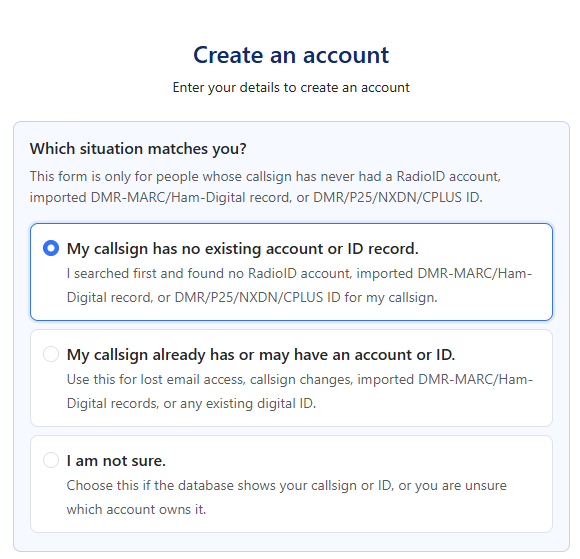
- Select: My callsign has no existing account or ID record. I searched first and found no RadioID account, imported DMR-MARC/Ham-Digital record, or DMR/P25/NXDN/CPLUS ID for my callsign.
- Callsign in the next field
- Email-Adresse in the next field
- Choose new password for the next field
- Answer the following questions
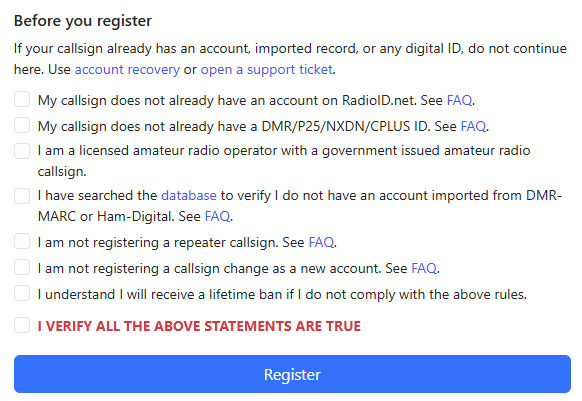
The RadioID registration process consists of two separate approval steps. Both steps are reviewed manually, and you will receive an email notification once each step has been processed.
Step 1: DMR ID Application
First, you need to apply for your DMR ID. As part of the application, you must provide proof that you are authorized to operate an amateur radio station.
For applicants in Germany, this means uploading the official amateur radio authorization document issued by the German Federal Network Agency (Bundesnetzagentur).
The application is then reviewed to verify that the callsign shown on the document matches the callsign provided in the RadioID application.
During this stage, the application will remain in a Pending state.
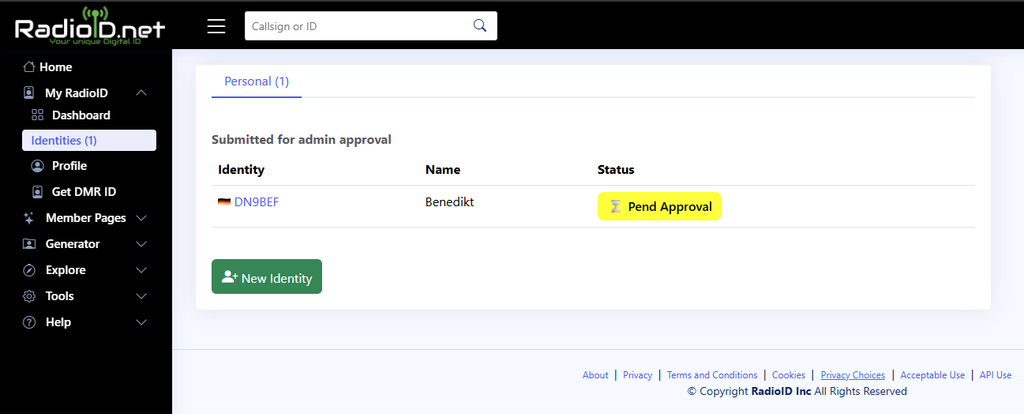
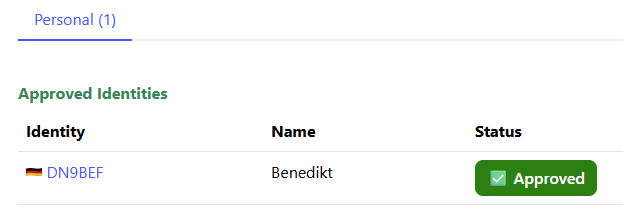
Once the application has been reviewed and approved, you will receive an email notification.
Step 2: DMR ID Assignment
Approval of the application is not yet the final step. The actual DMR ID assignment is handled separately.
This second step may take some additional time. While the DMR ID is being assigned, the status may again be shown as Pending.
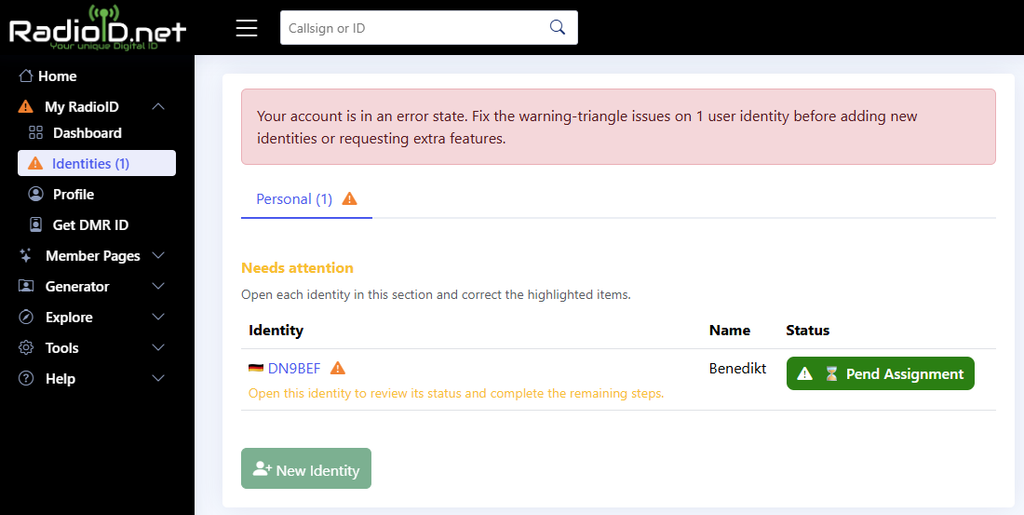
Once approved, you will receive your personal DMR ID. For amateur radio operators, this is normally a 7-digit ID.
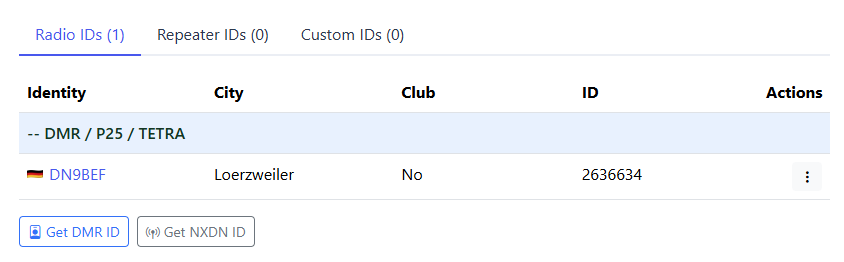
Your DMR ID Is Not Your Callsign
The two identifiers have different purposes:
| Identifier | Purpose |
|---|---|
| Callsign | Your legally assigned amateur radio station identifier |
| DMR ID | Your numerical identifier used by DMR networks |
The DMR ID is linked to your callsign in the DMR database. You should therefore use your own assigned DMR ID when configuring your radio. Do not simply copy the ID from another operator or invent one yourself.
Check your DMR ID
After your ID has been assigned, you can search for it in the RadioID database.
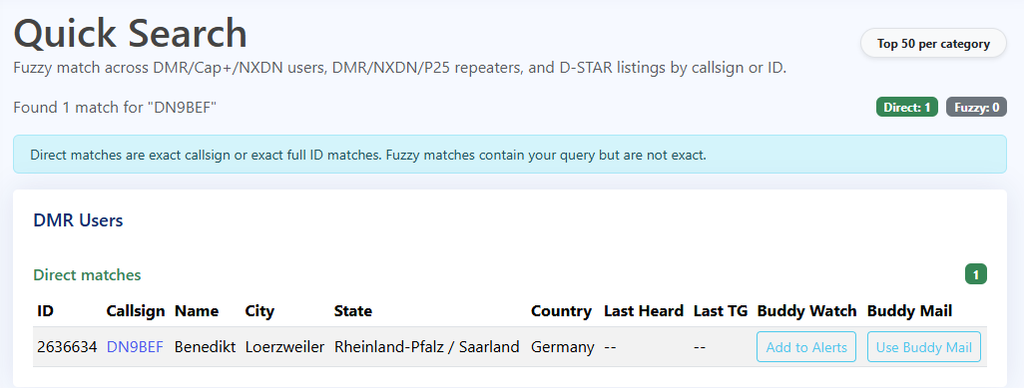
Check that your callsign and DMR ID are shown correctly. The same personal DMR ID can be used with different DMR radios and on different DMR networks. You do not normally need a separate DMR ID for every radio.
Do you need a BrandMeister account?
A BrandMeister account is optional for basic repeater operation. Your DMR ID is what identifies you on the DMR network.
However, a BrandMeister account provides access to additional SelfCare features, including:
- Set your radio brand and device information
- Configure APRS and alias settings
- Configure hotspot-related settings
- Set the Hotspot Security password
- Manage multiple Radio IDs
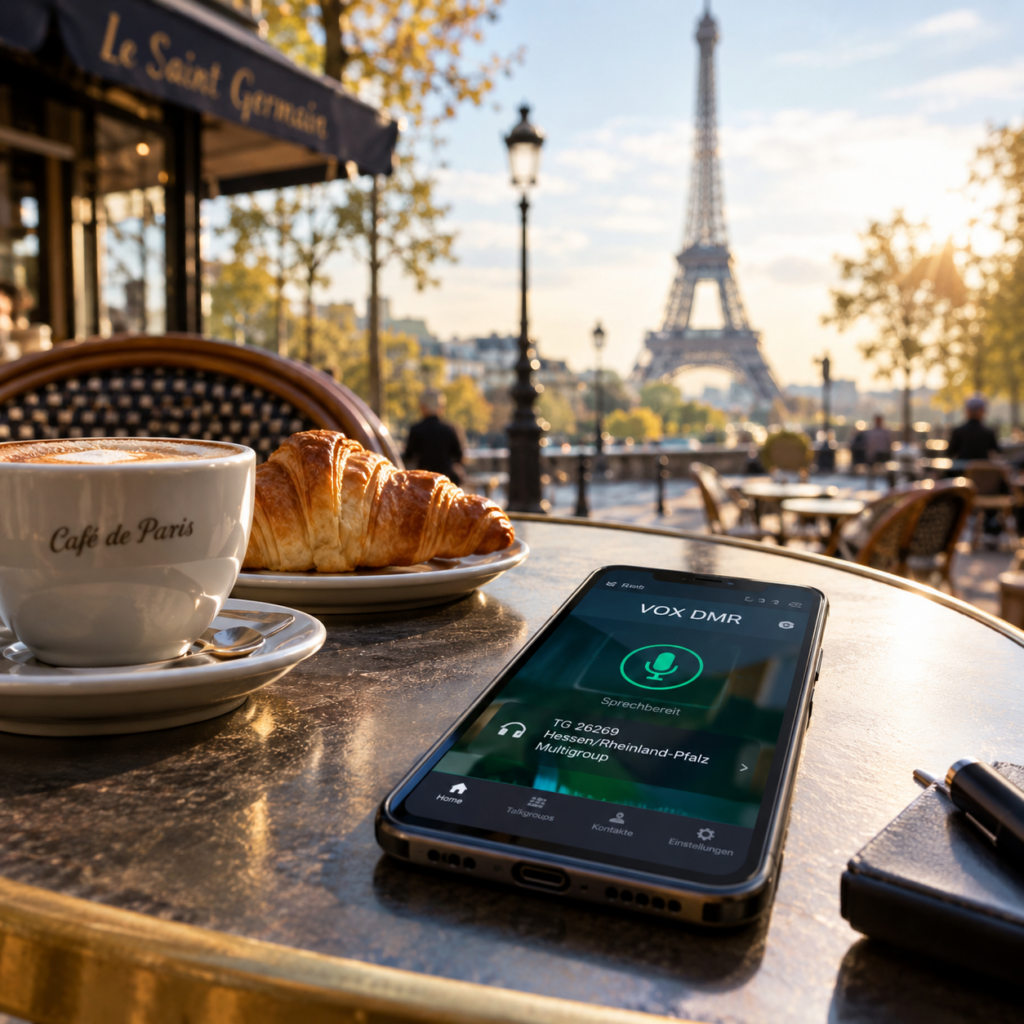
The Hotspot Security password is particularly important if you use a hotspot application such as VoxDMR. The password is created in BrandMeister SelfCare and then entered into the hotspot software.
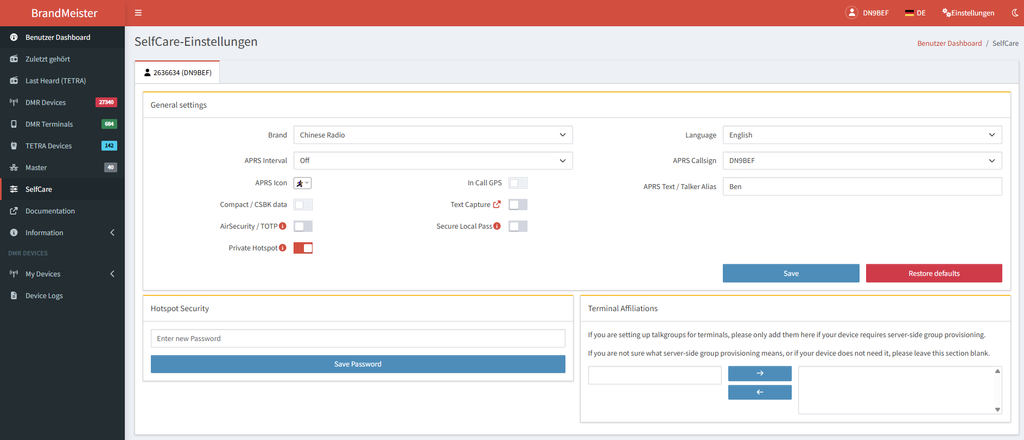
For normal repeater operation, you can use BrandMeister without an account, but creating an account gives you access to these additional features.
Keep your account information up to date
Keep the email address associated with your RadioID.net account current. RadioID.net has also introduced an annual verification process for accounts. Users may be asked to confirm that their information is still valid and that their DMR ID is still required. This is another reason not to create a DMR ID with an email address you no longer monitor.
What you need before programming your radio
For a basic DMR setup, you should have:
- A valid amateur radio callsign
- A personal DMR Radio ID
- The DMR network you intend to use
- The required network account, if applicable
Once your DMR ID has been issued, you have the most important piece of information required for your DMR codeplug. You can now continue with the digital configuration and enter your personal DMR ID into your radio.