VoxDMR is a software DMR client that allows amateur radio operators to connect to DMR networks such as BrandMeister without using a physical DMR radio.
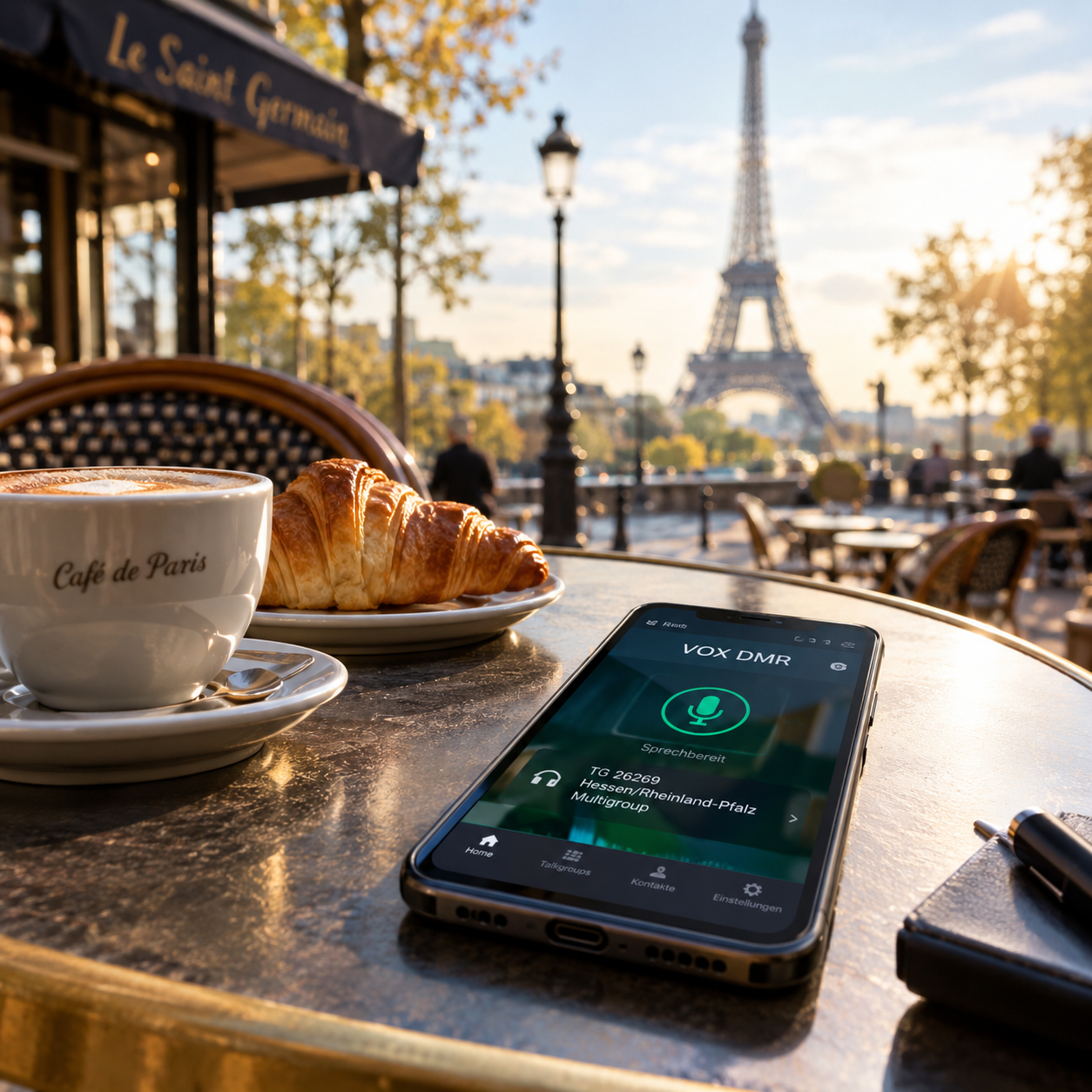
This makes it an interesting way to get started with DMR, especially if you want to explore digital amateur radio before buying a DMR transceiver or setting up a hotspot.
This guide focuses specifically on installing and configuring VoxDMR. A few background sections explain the most important concepts along the way, but you do not need to understand the entire DMR ecosystem before getting started.
A few things you need before starting
Before installing VoxDMR, you should have the following:
- An amateur radio callsign
- A valid DMR ID
- A BrandMeister account
- A BrandMeister Hotspot Security Password
- An Internet connection
- A microphone
- Speakers or a headset
The DMR ID is important because it identifies your station within the DMR network.
If you do not have a DMR ID yet, see my separate guide:
You do not need a physical DMR radio or MMDVM hotspot for this setup.
What is VoxDMR?
VoxDMR is a software application that provides a DMR client on your computer or Android device.
Your smartphone therefore becomes the DMR endpoint. You use its microphone and speakers or a connected headset for the audio.
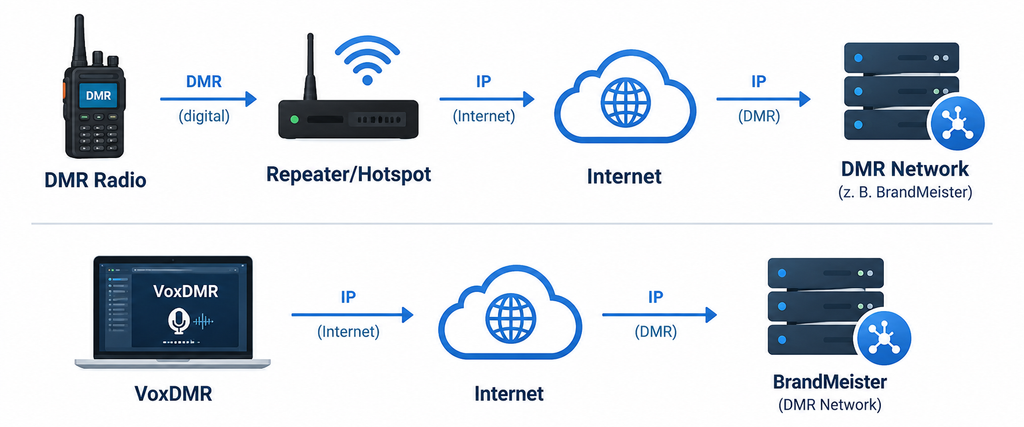
Your computer or smartphone therefore becomes the DMR endpoint. You use its microphone and speakers or a connected headset for the audio.
A note about BrandMeister
BrandMeister is a worldwide DMR network that connects DMR repeaters, hotspots and software clients.
Communication is organized using Talkgroups. A Talkgroup can be thought of as a logical conversation channel within the DMR network.
VoxDMR connects to BrandMeister over the Internet and lets you select and use these Talkgroups directly. You therefore do not need to configure an RF frequency, repeater offset or antenna when using VoxDMR.
You can listen before you start
There is another interesting way to explore BrandMeister before configuring anything.
BrandMeister provides Hoseline, a web-based service that allows anyone to listen to active Talkgroups.
You do not need a DMR radio or amateur radio licence simply to listen to publicly available amateur radio traffic.
This is possible because amateur radio communication is not intended to be private or encrypted.
You can find Hoseline here:
https://hose.brandmeister.network
It is a nice way to get a first impression of DMR before installing anything.
Set an BrandMeister Hotspot Security Password
This is where your BrandMeister account becomes relevant. VoxDMR requires the BrandMeister Hotspot Security Password for the connection.
This is important because the Hotspot Security Password is not the same as your normal BrandMeister website password.
There are therefore two different credentials:
| Credential | Purpose |
|---|---|
| BrandMeister account password | Logging into the BrandMeister website |
| Hotspot Security Password | Authenticating your DMR client with BrandMeister |
The Hotspot Security Password is configured in BrandMeister SelfCare.
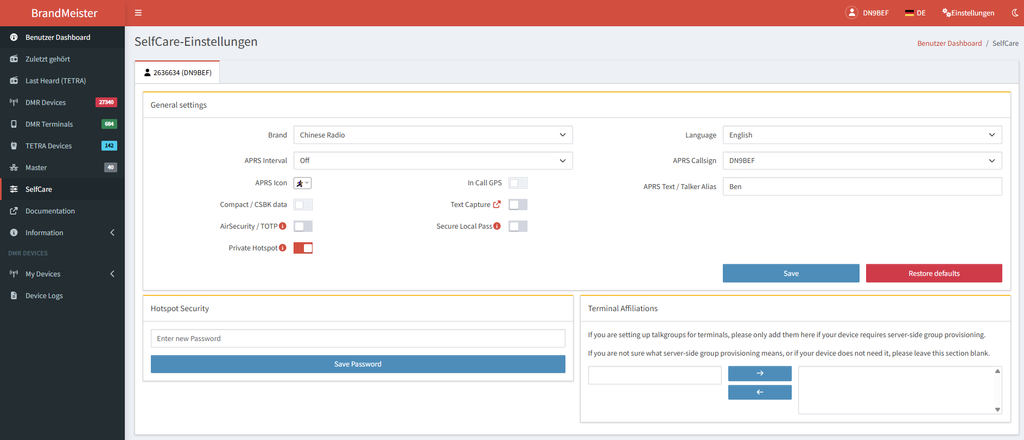
- Log in to your BrandMeister account and open the SelfCare area.
- Locate the Hotspot Security settings and create or change your Hotspot Security Password.
- Then enter this password into the corresponding VoxDMR setting.
- VoxDMR’s own installation documentation specifically points out this distinction.
Installing VoxDMR
VoxDMR is available for several platforms.
- Download the appropriate version from the official VoxDMR website: https://www.voxdmr.com
- The Android version is on Google Playstore here: https://play.google.com/store/apps/details?id=com.jcalado.voxdmr&pli=1
- The available installation packages depend on the platform you are using.
- Install VoxDMR using the normal installation procedure for your operating system.
- After installation, start the application.
- The exact appearance may change between VoxDMR versions, but the information required for the configuration remains essentially the same.
Configure Your Callsign and DMR ID
The first important step is to identify your station.
Enter your:
- Callsign
- DMR ID
Use the callsign exactly as it was assigned to you.
The DMR ID must also be entered correctly. It is not a username and it is not your BrandMeister account number.
It is the numeric identity used by the DMR network to identify your station.
VoxDMR for Android
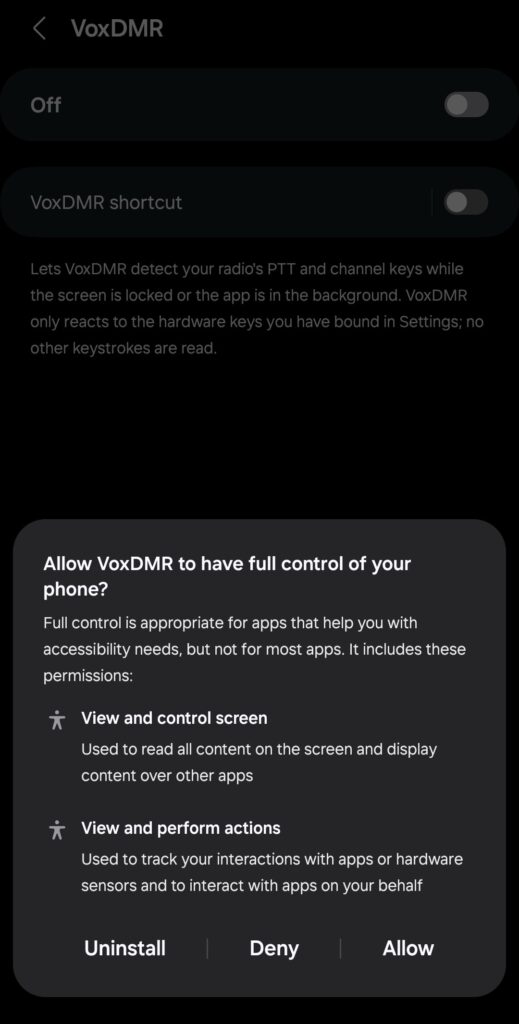
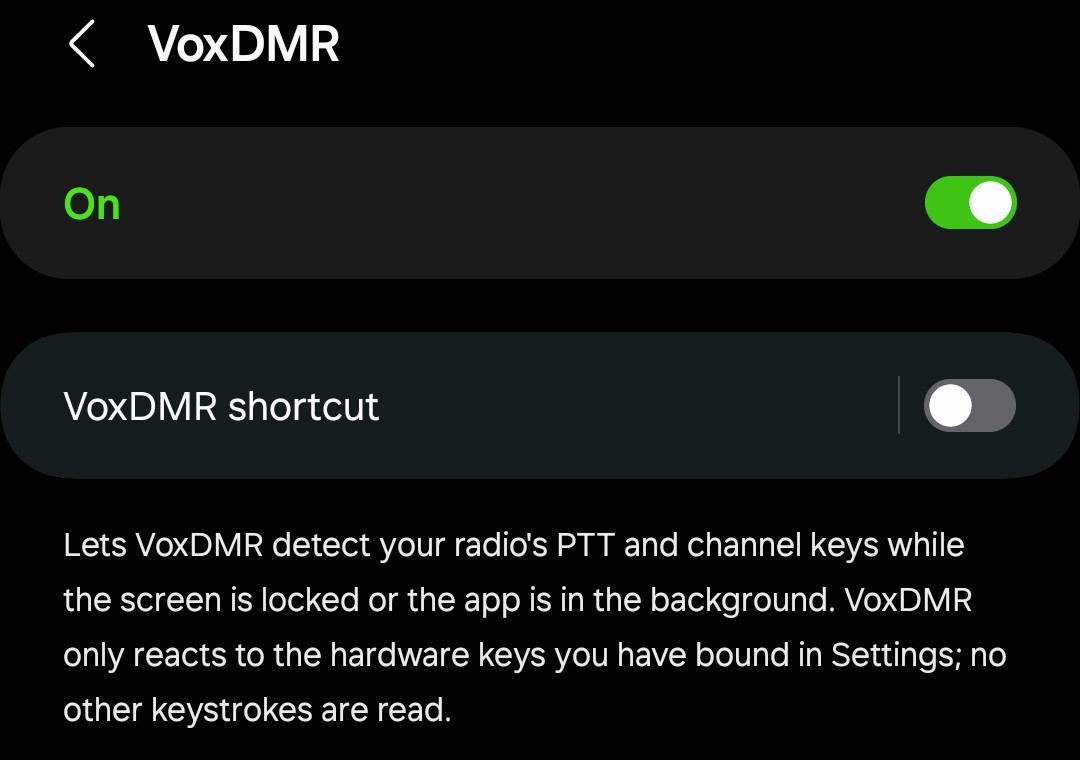
Accelerator Service on Android
On Android, the Accelerator Service provides the background functionality required by VoxDMR for reliable audio and voice communication. It needs permission to run in the background and should not be restricted by Android’s battery optimization. The following settings show the required configuration.
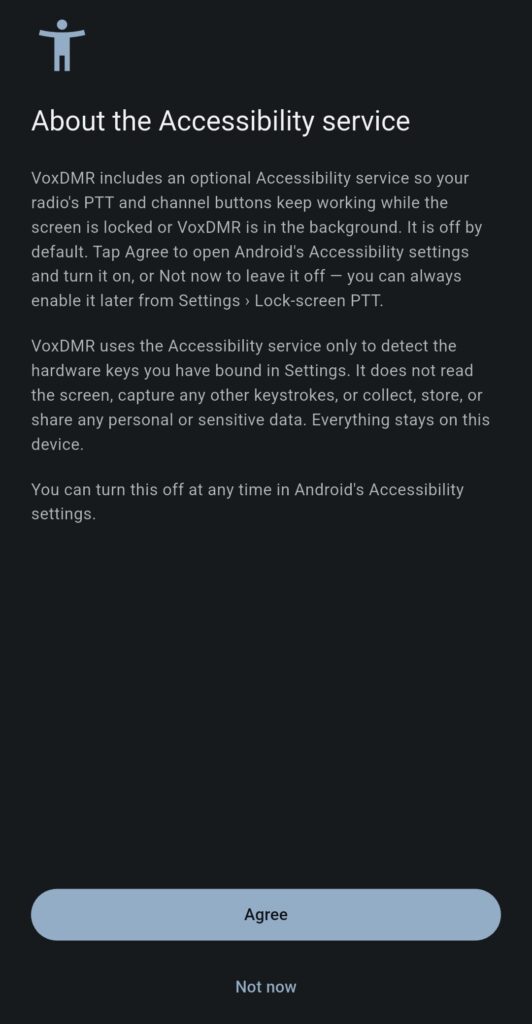
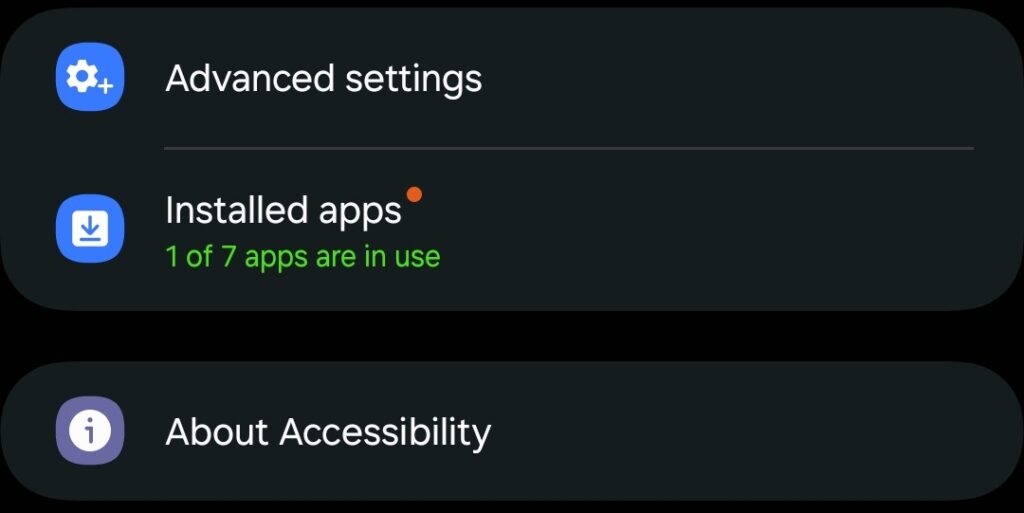
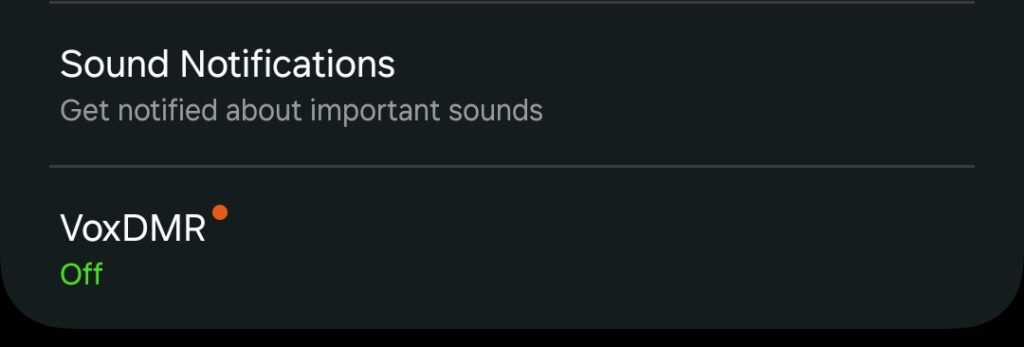
Initial VoxDMR Setup
Once the Accelerator Service has been enabled, you can start the initial VoxDMR setup. The following steps configure the basic settings required to connect VoxDMR to the DMR network and use the app for the first time.
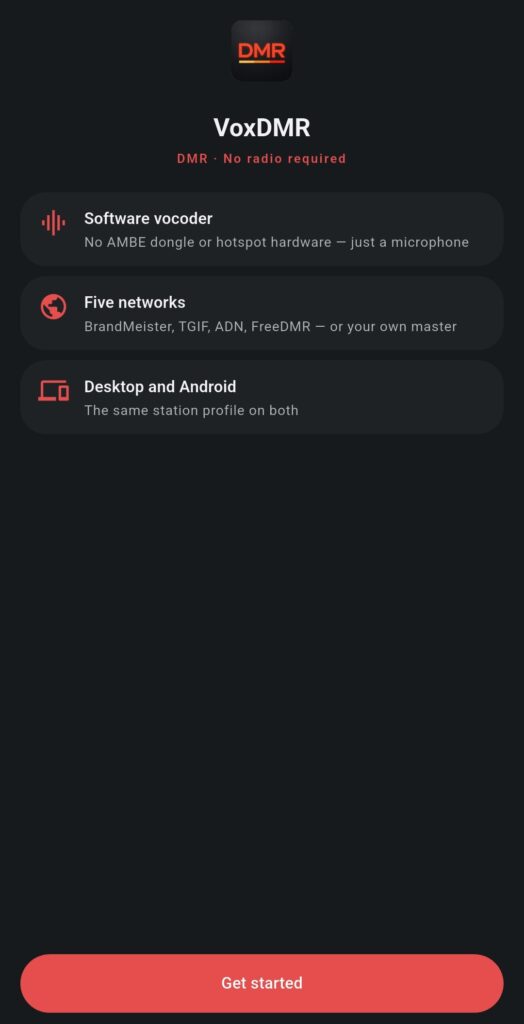
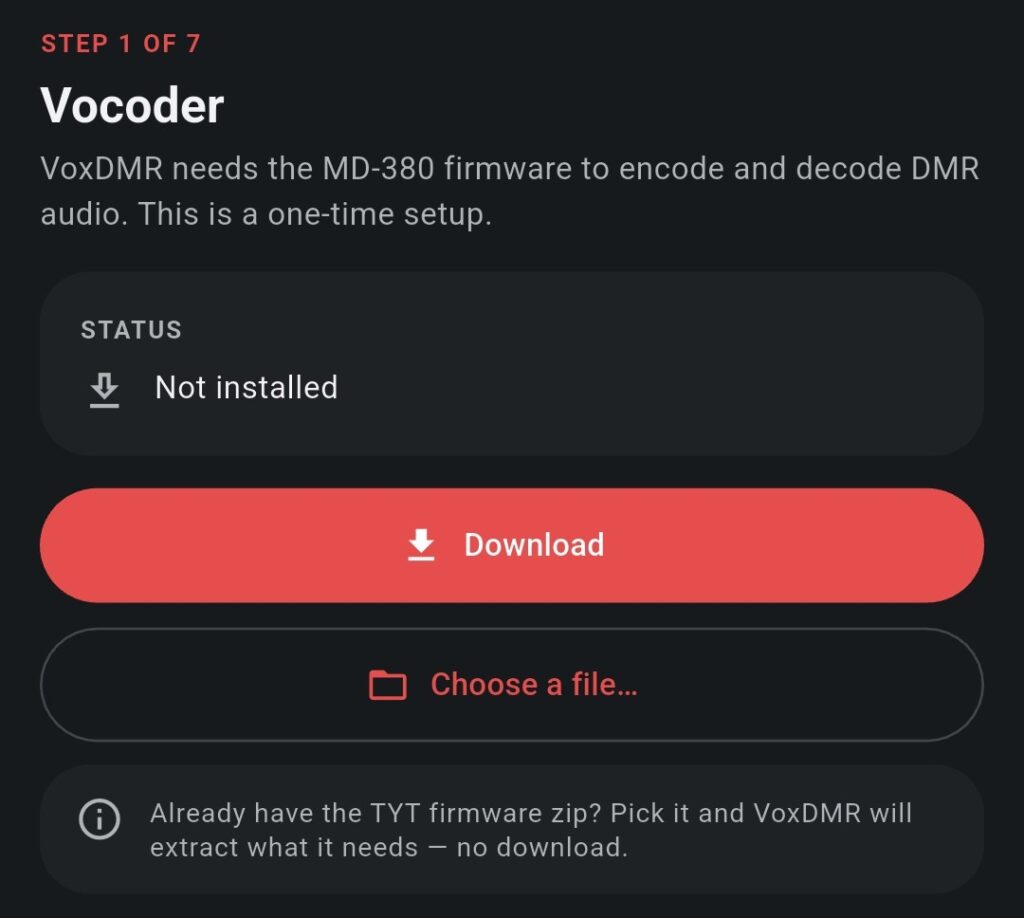
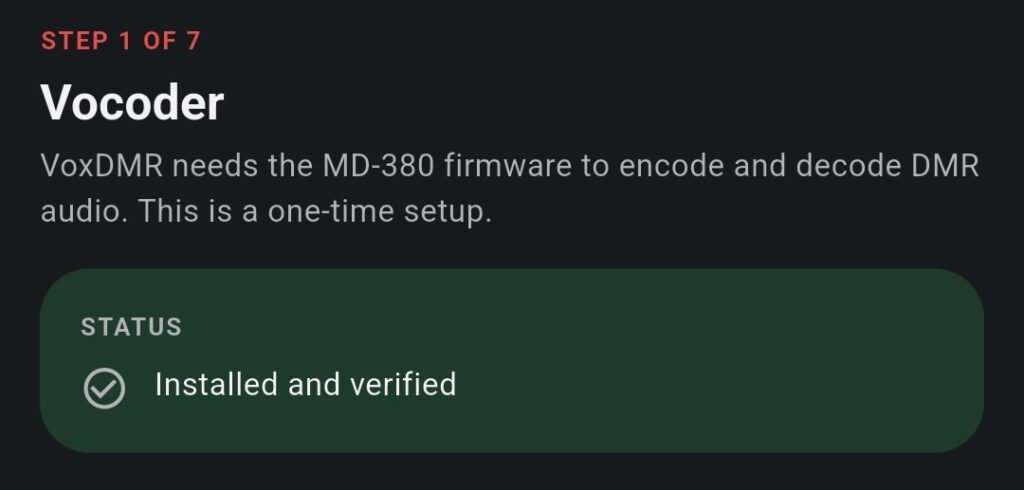
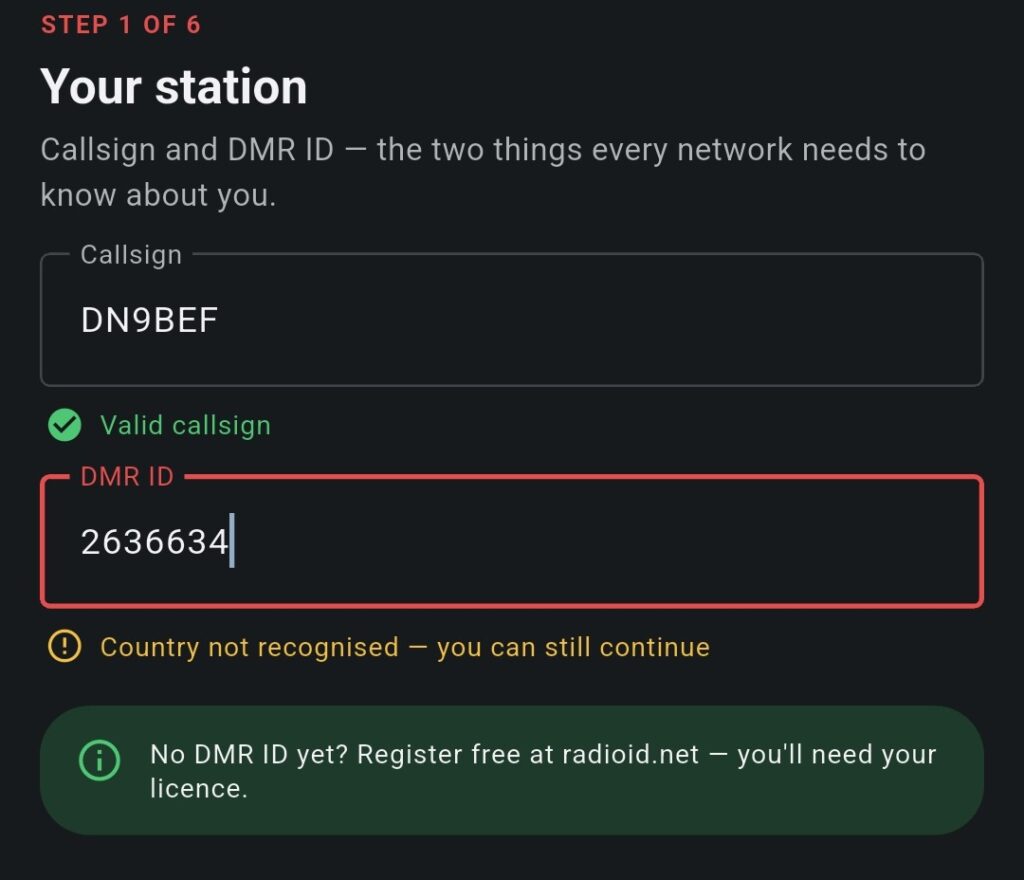
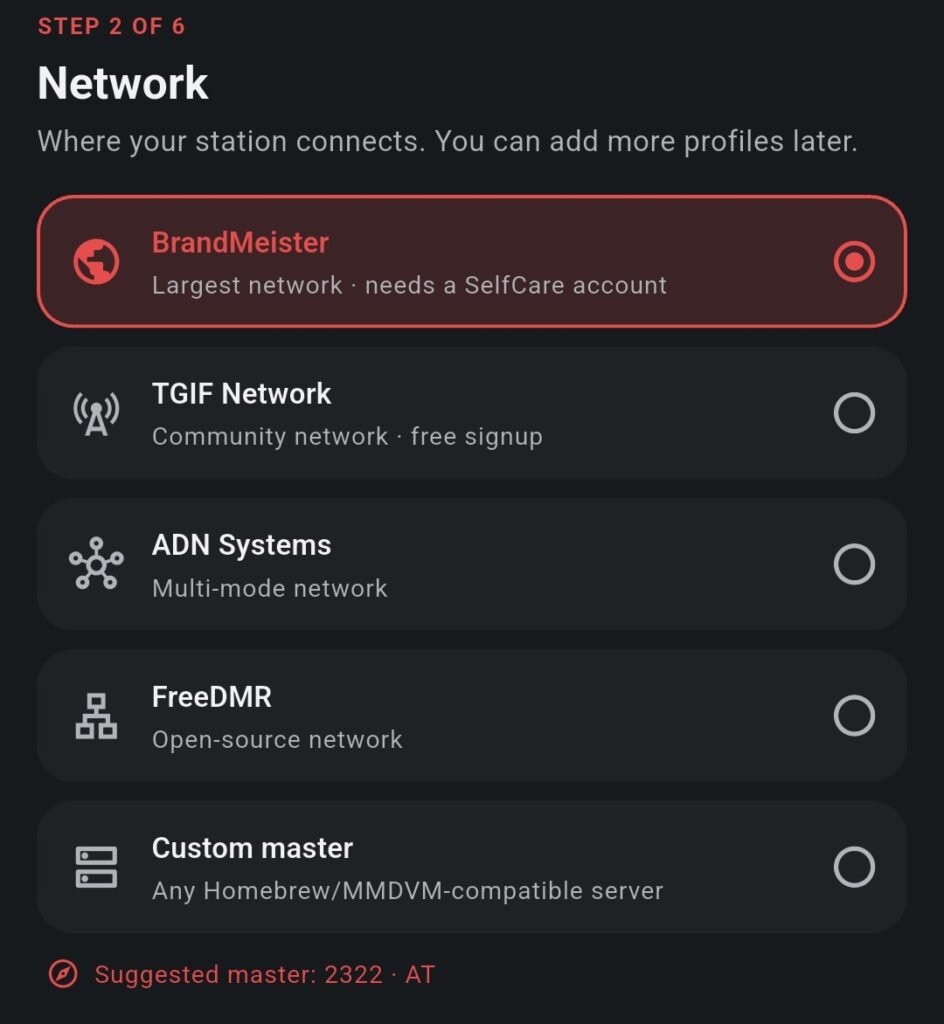
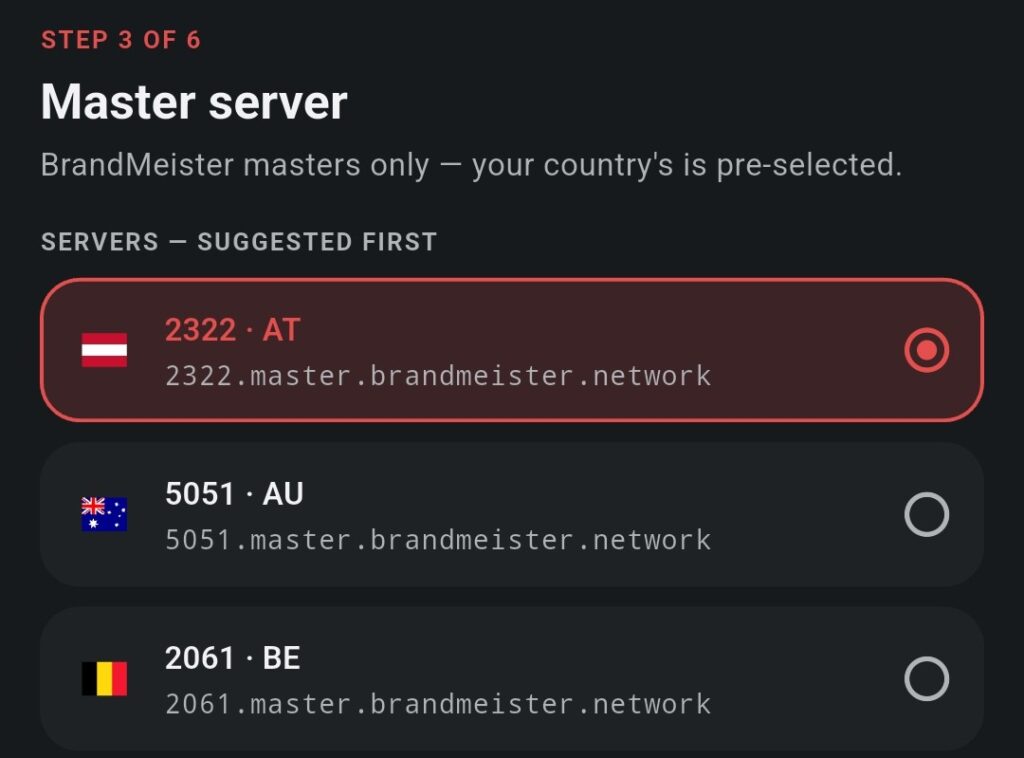
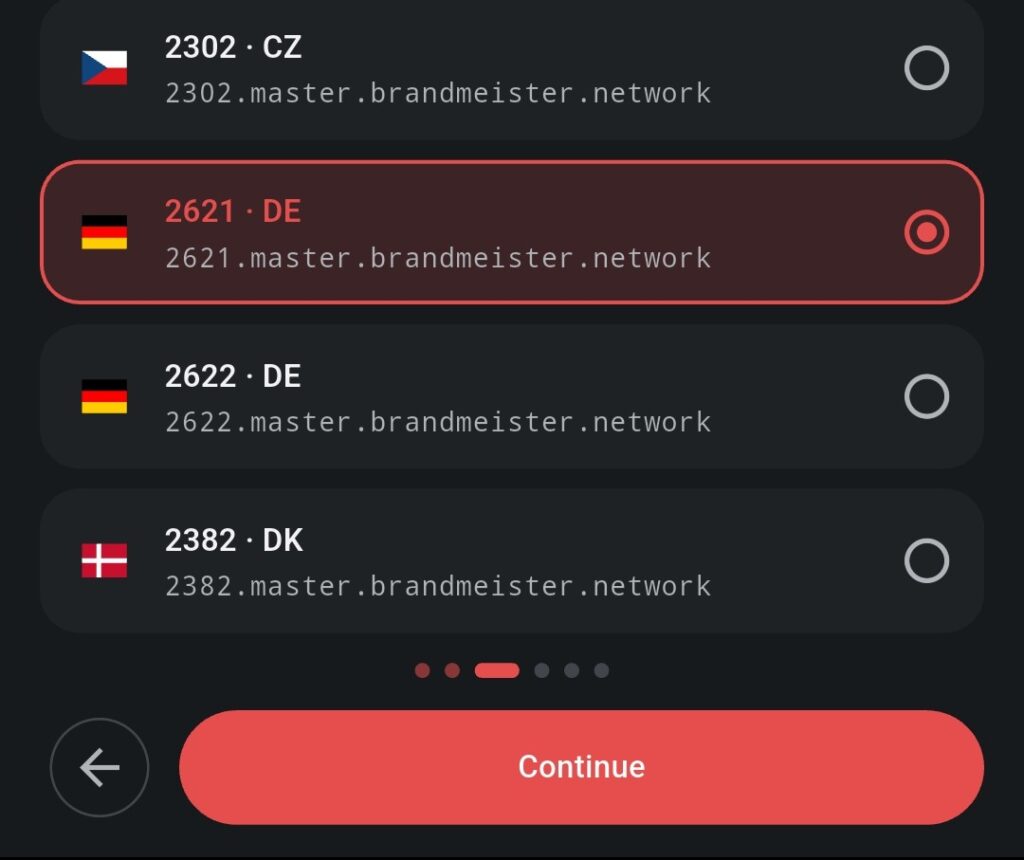
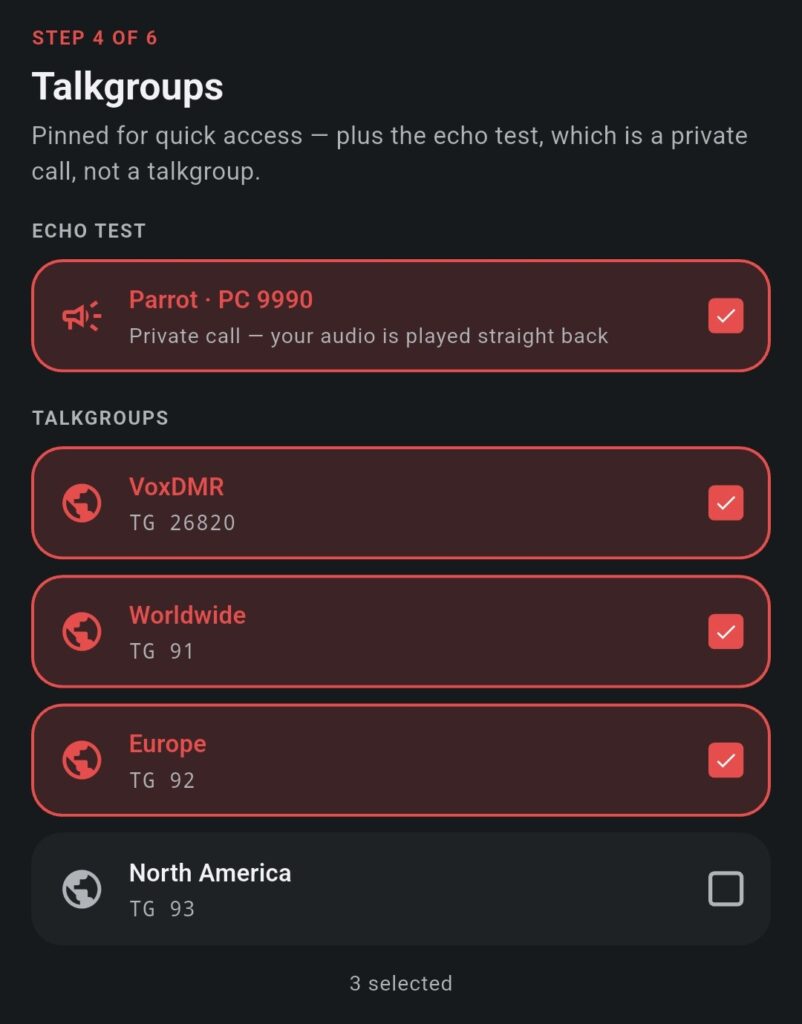
For this example, we also select VoxDMR Worldwide and Europe. This selection is optional and can be left empty; Talkgroups can be added or changed later.
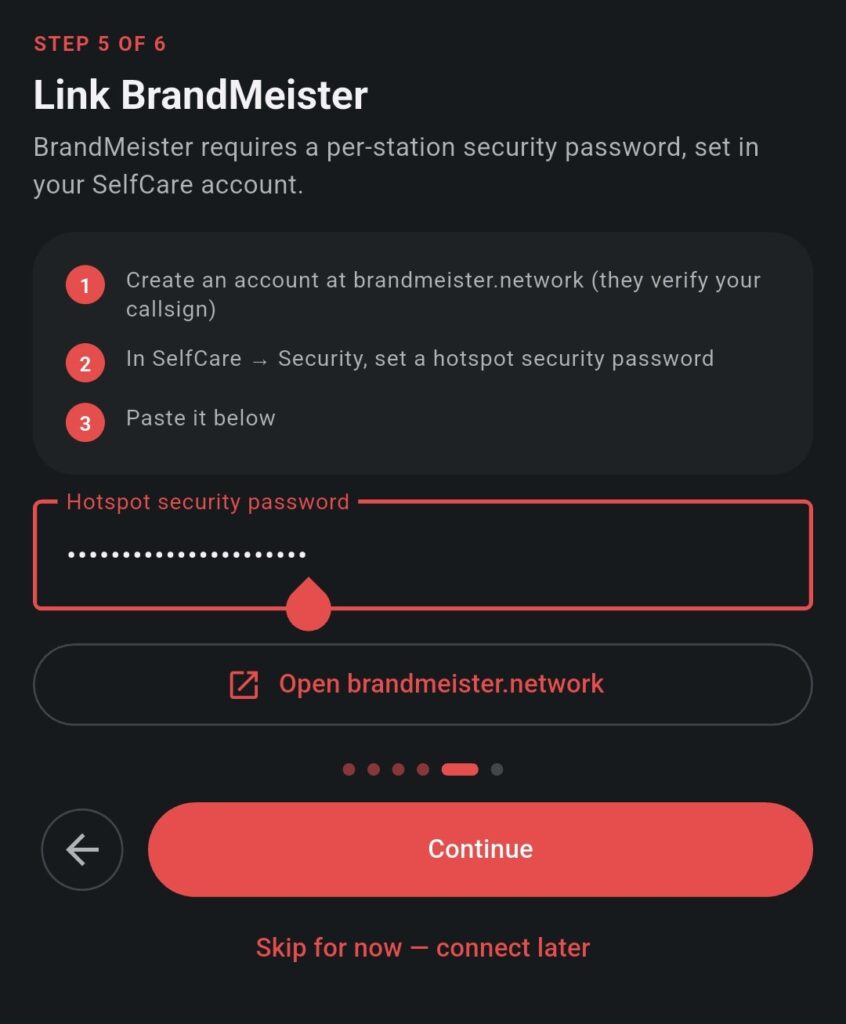
Important: This is a separate password and is not the same as your BrandMeister account password used to log in to the website.
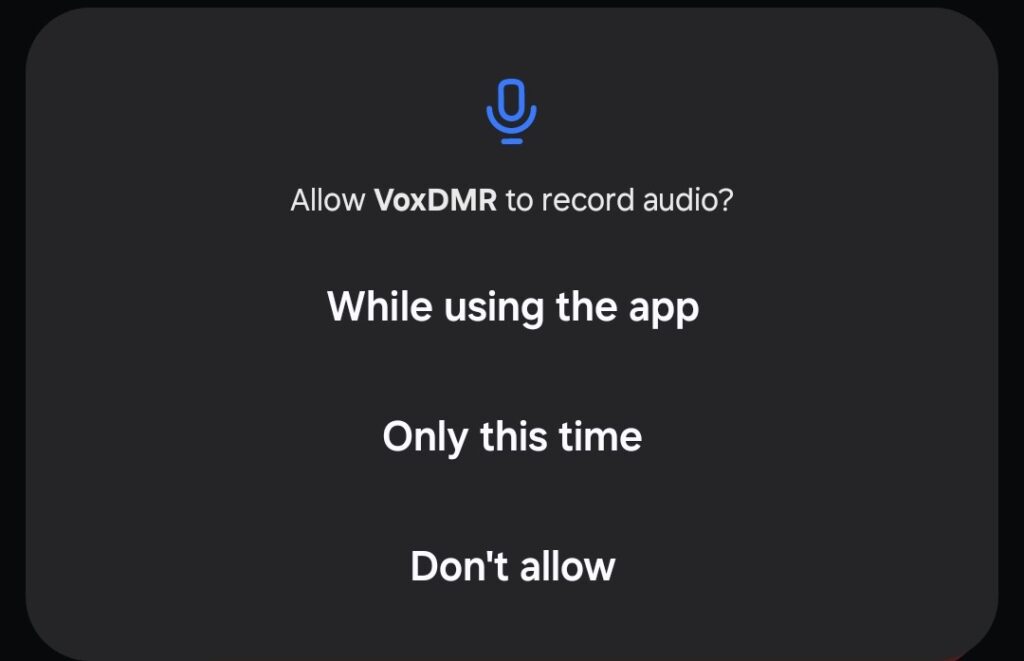
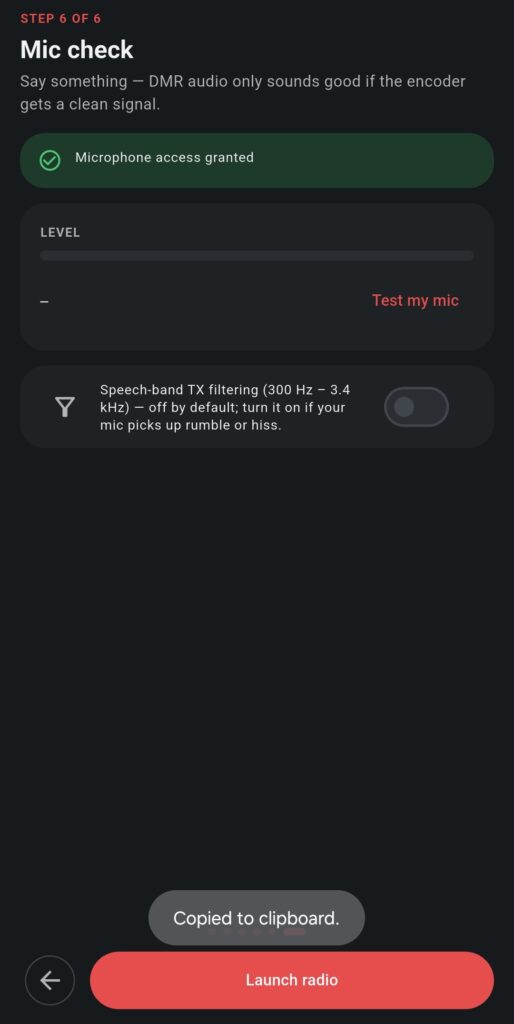
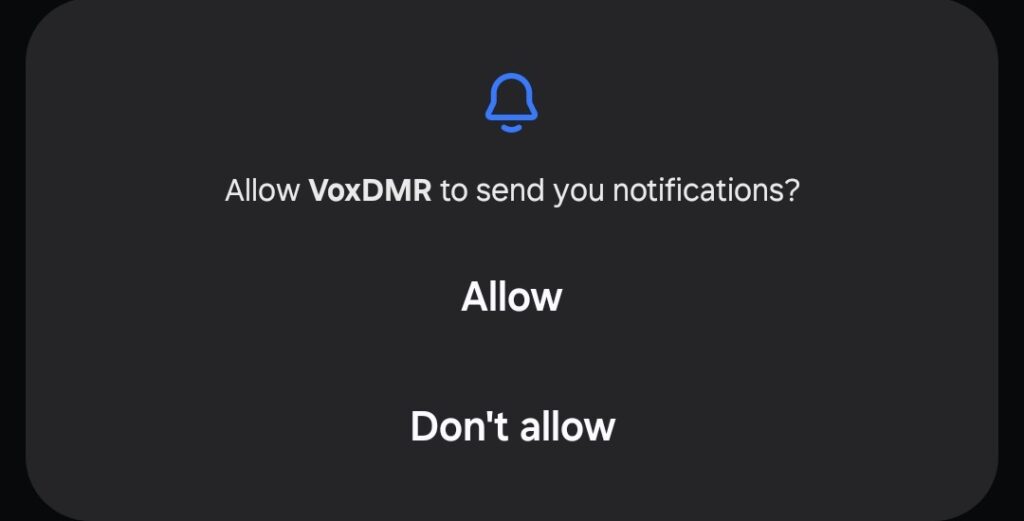
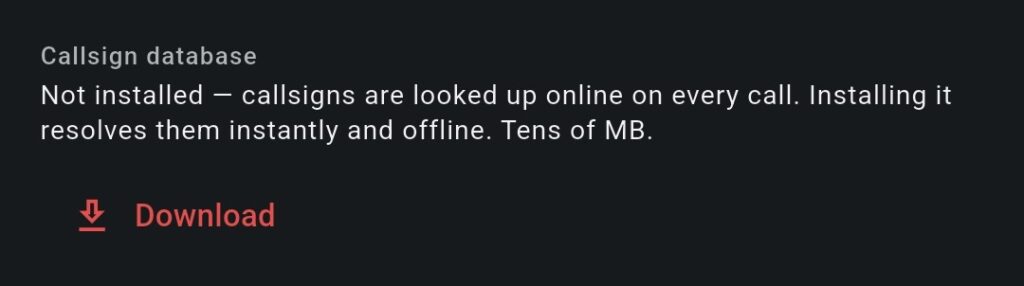

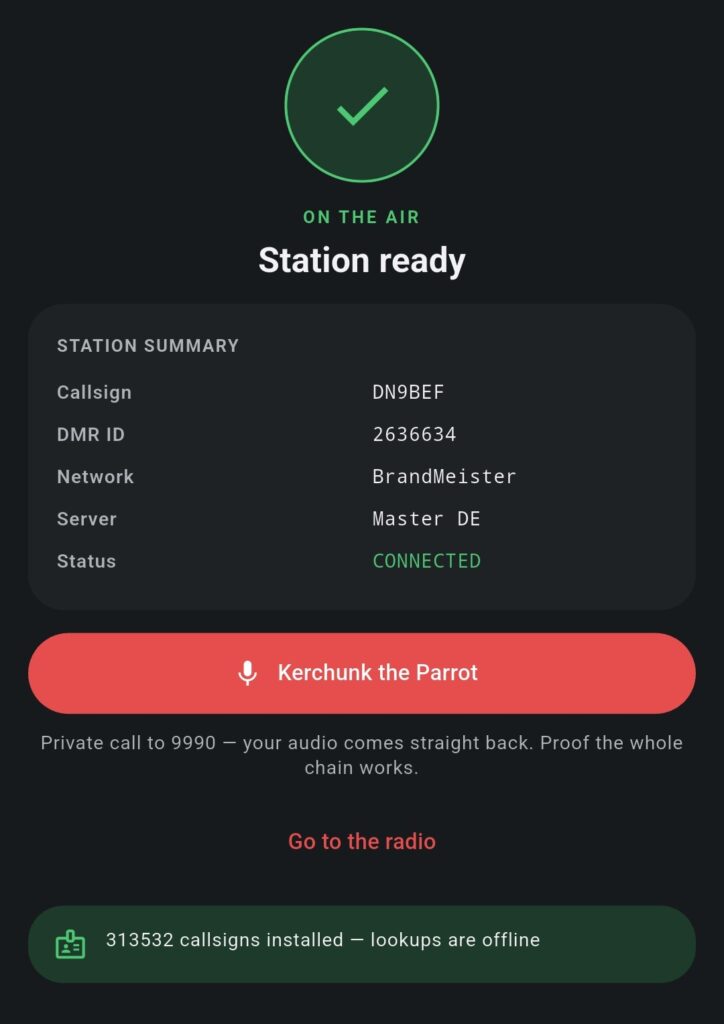
If everything works as expected, tap “Go to the Radio”.
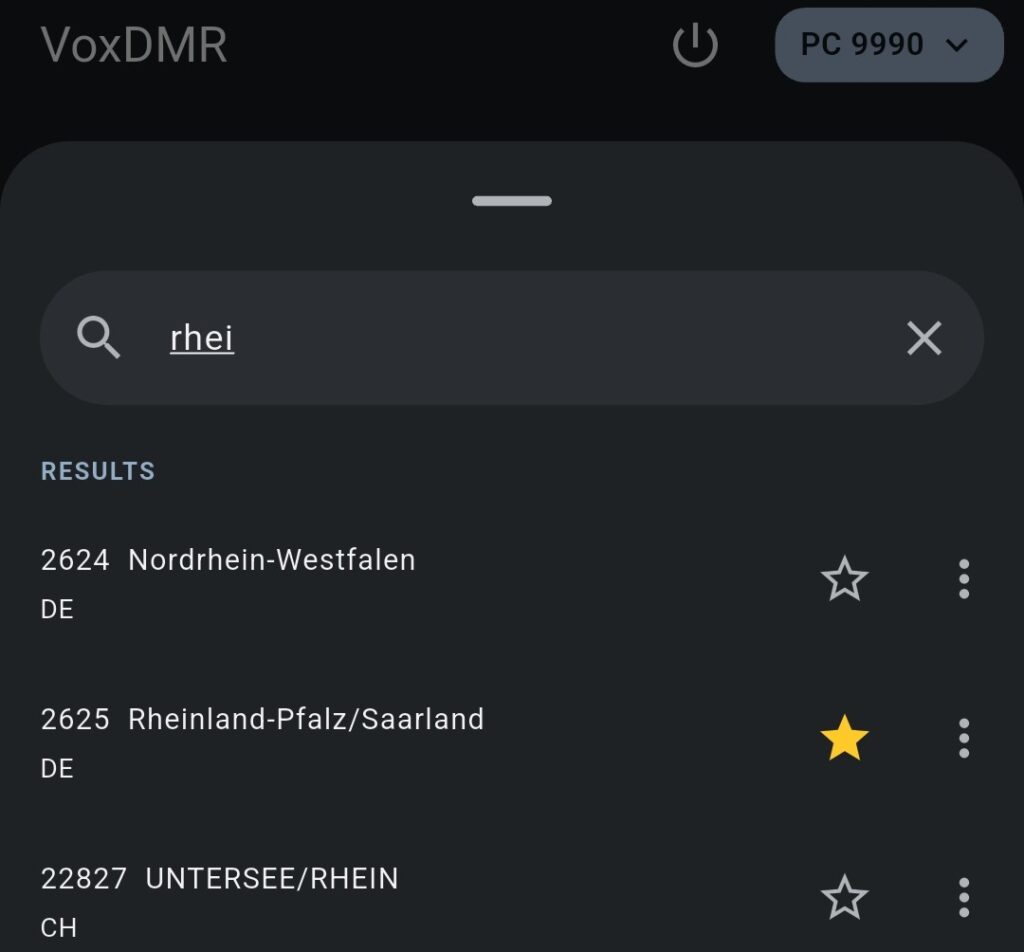
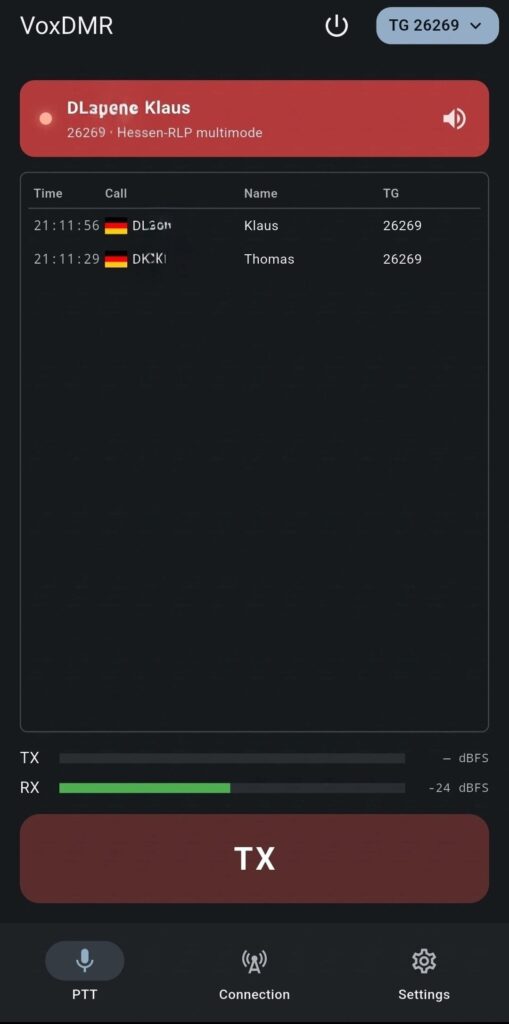
You can now listen to ongoing conversations or participate using just your smartphone – no physical DMR radio is required.
VoxDMR for Microsoft Windows
VoxDMR is also available for Windows, making it possible to use DMR conveniently from a desktop PC at home or from a notebook while travelling. This provides a comfortable alternative to using a handheld radio, allowing you to participate in DMR conversations directly from your computer. This guide covers the installation and basic configuration of VoxDMR on Windows, including the connection to your DMR network and the required settings.
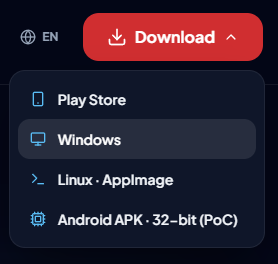
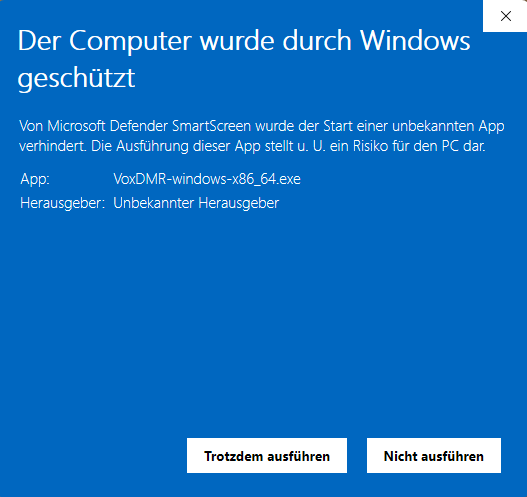
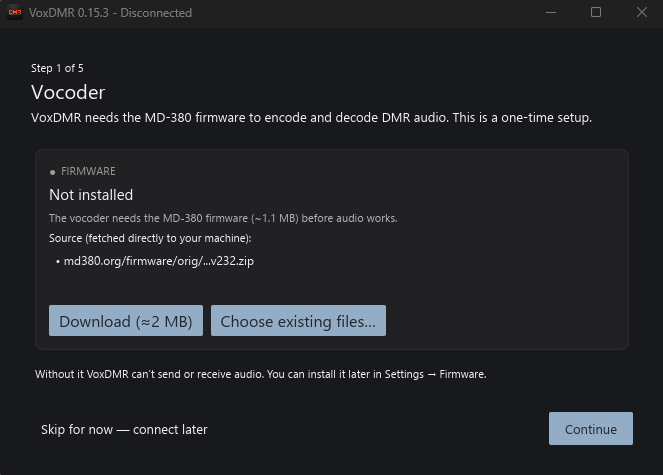
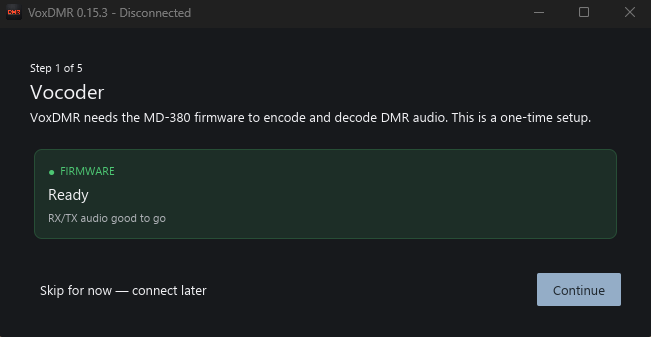
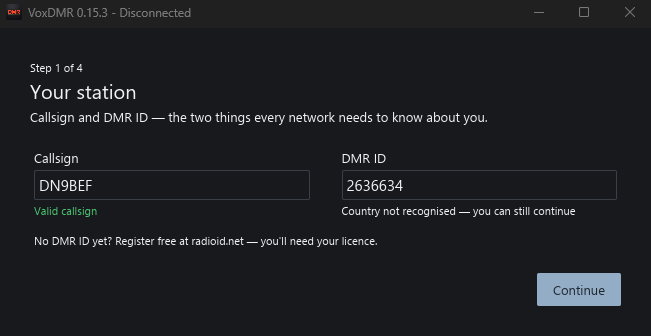
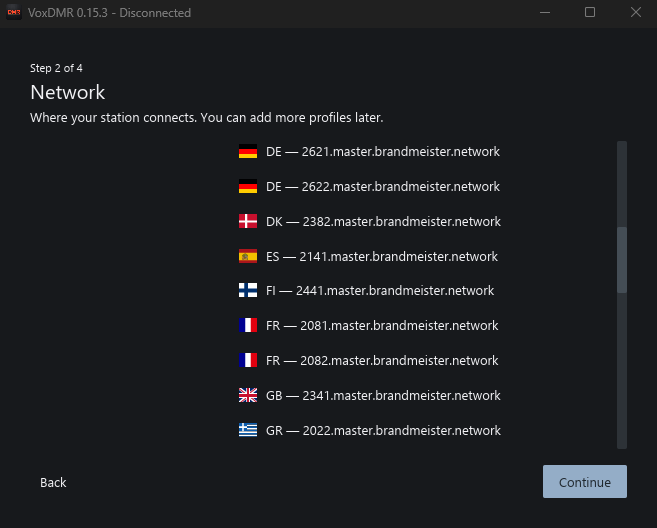
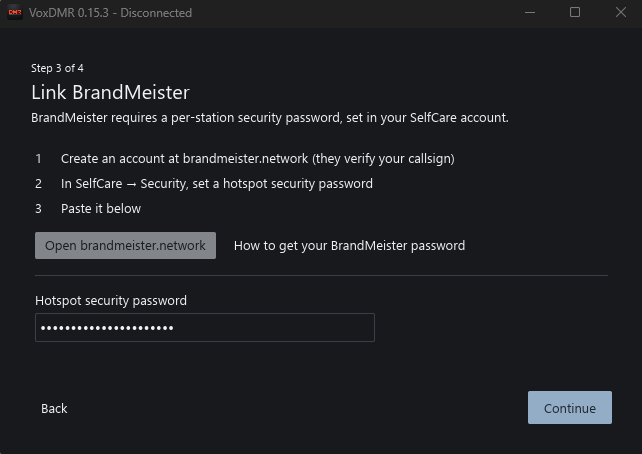
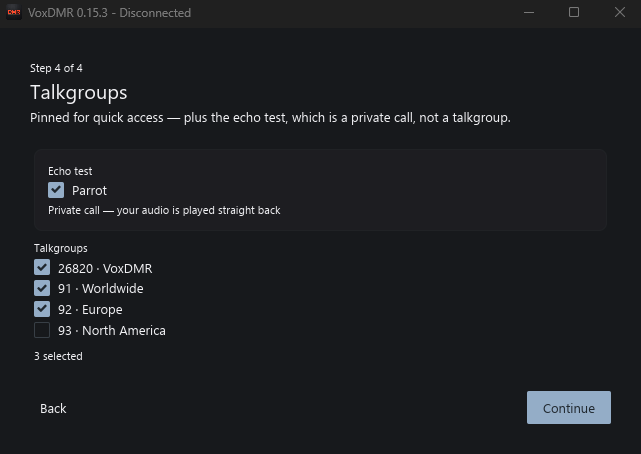
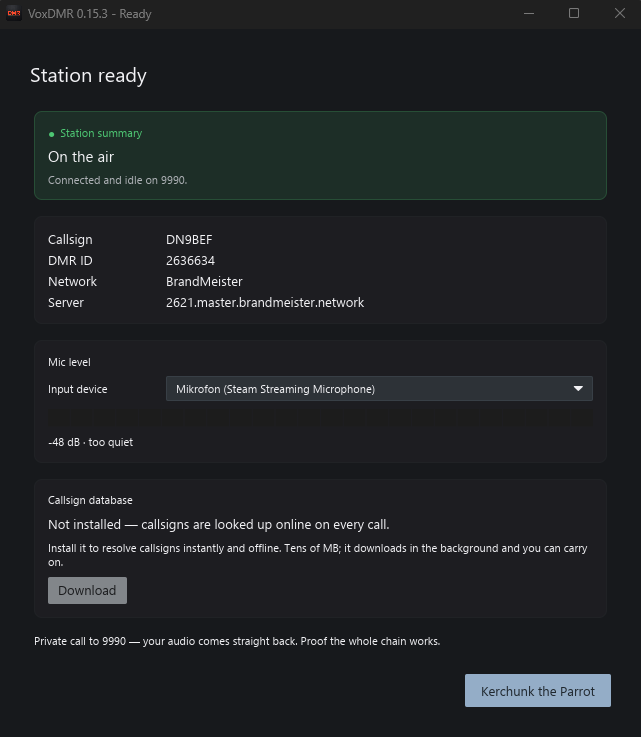
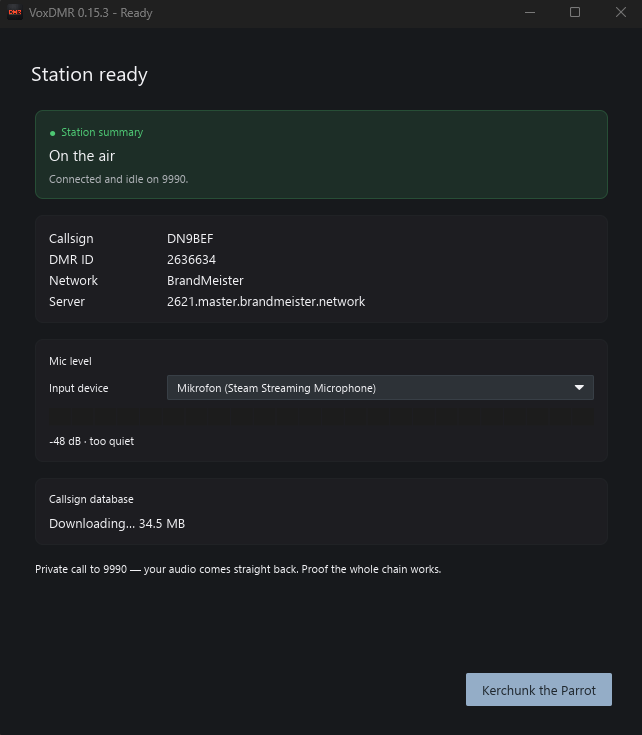
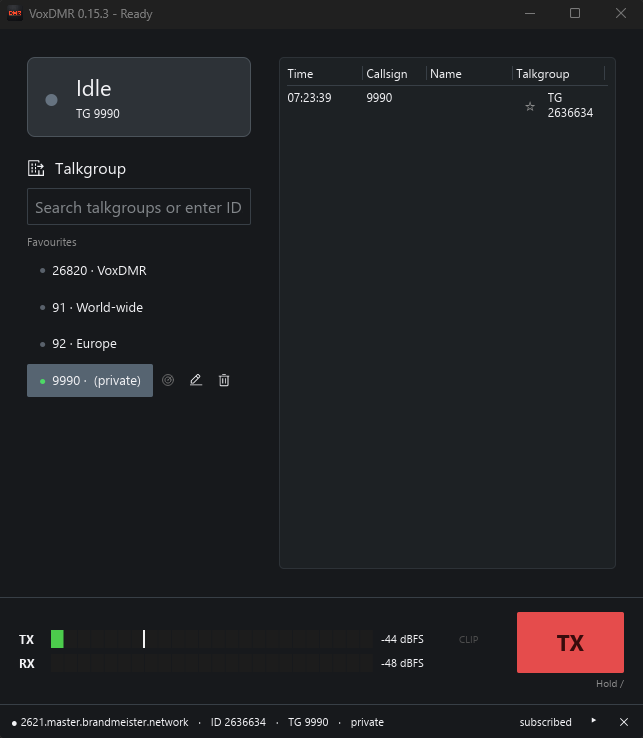
A few additional settings are recommended. To access them, click the gear icon in the bottom-right corner to open the options.
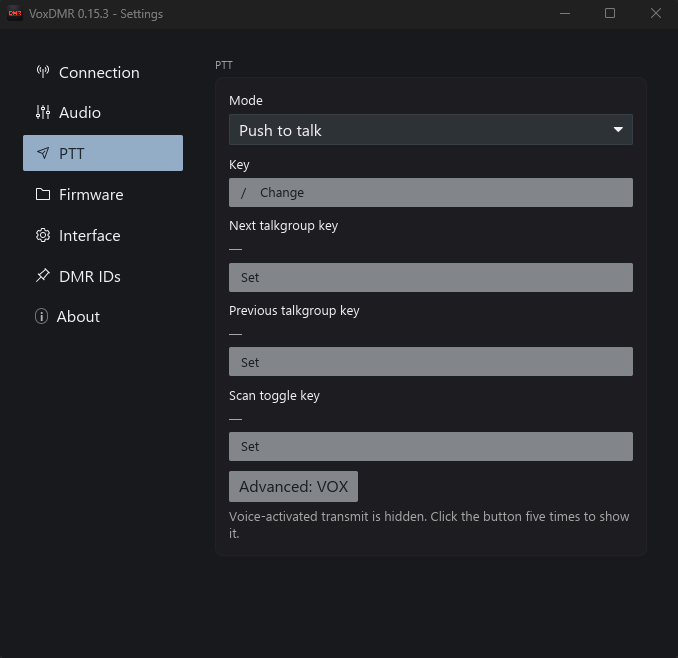
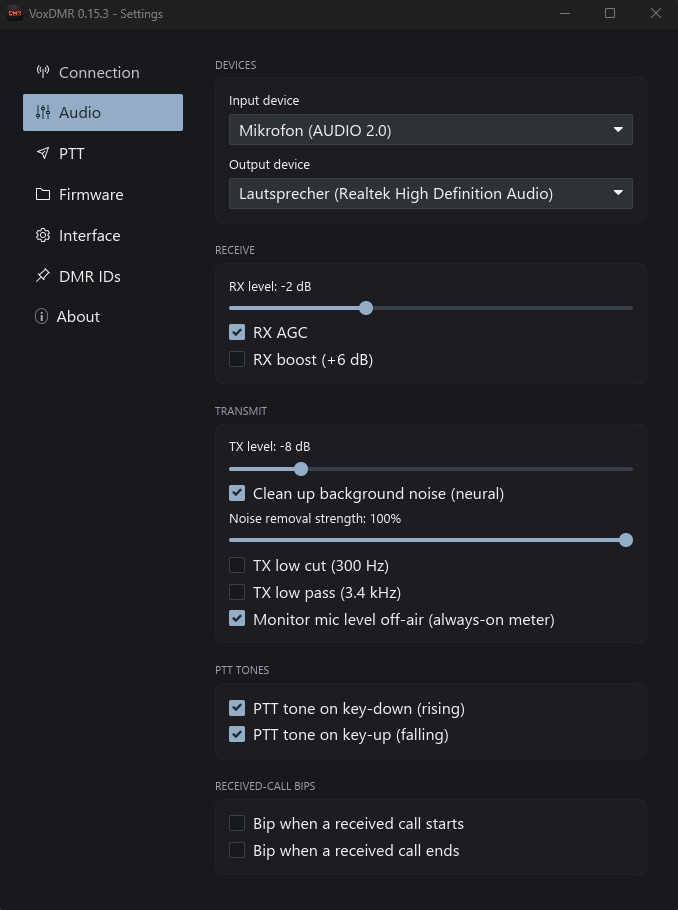
That’s it! VoxDMR is now ready to use. With your station configured and the audio settings adjusted, you can enjoy DMR conversations from your Windows PC or notebook.
Making Your First Transmission
Before transmitting for the first time, listen for a while. Make sure the Talkgroup is appropriate and not already being used.
When it is clear, press the PTT control in VoxDMR and make a short call.
For example:
CQ, this is DN9BEF monitoring the Talkgroup. Anyone available for a short QSO?
Release PTT and wait for an answer.
There is no need to make a long introduction during your first test. Keep the transmission short and give other stations enough time to respond.
Conclusion
VoxDMR provides a relatively simple way to explore DMR without immediately investing in a DMR radio or hotspot.
Once you have your DMR ID, BrandMeister account and Hotspot Security Password, the basic setup consists of configuring your identity, selecting BrandMeister, setting up authentication and configuring your audio devices.
After that, you can select a Talkgroup and start exploring the BrandMeister network.
For an experienced FM operator, this provides an easy introduction to digital networking. For someone who is completely new to DMR, it removes much of the hardware and RF complexity and lets you concentrate on the network side first.
Once that works, the step to a real DMR radio is a lot less mysterious.