Wavelog is actively developed and receives regular updates. New versions include bug fixes, security improvements, performance optimizations and new features.

Keeping Wavelog updated is important, but updates should always be performed carefully. A logbook contains valuable data, so creating a backup before every update is strongly recommended.
In this chapter, we will update Wavelog using Git and verify that the installation is working correctly afterwards.
Check the Current Version
Before updating, check the currently installed Wavelog version.
Log in to the Wavelog web interface:
Administration → Version Info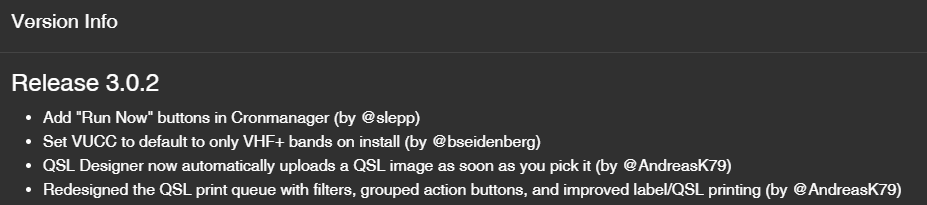
Create a Backup Before Updating
Never update a production installation without a backup.
💡 Tip: Create a snapshot of the Wavelog virtual machine or container on your hypervisor before starting the update. This provides an additional rollback option if anything goes wrong during the update.
Create a database backup:
mariadb-dump -u root -p wavelog > /backup/wavelog/pre-update.sqlCreate a file backup:
tar -czf /backup/wavelog/pre-update-files.tar.gz /var/www/wavelogIf something goes wrong, these backups allow a complete recovery.
Update Wavelog Using Git
💡 Tip: Your existing
application/config/config.phpis not tracked by Git and will not be overwritten by this command. Nevertheless, make sure you have a backup or snapshot before continuing.
Switch to the Wavelog directory:
cd /var/www/wavelogDownload the latest changes:
git pull
remote: Enumerating objects: 246289, done.
remote: Counting objects: 100% (246284/246284), done.
remote: Compressing objects: 100% (48432/48432), done.
Receiving objects:  38% (93840/245032), 86.75 MiB | 6.95 MiB/s
Updating 871b7dc28..af3256140
Fast-forward
 README.md                                                        |     2 +-
 application/config/config.sample.php                             |     4 +
 application/config/migration.php                                 |     2 +-
 application/config/routes.php                                    |     6 +
 application/controllers/Activationplanner.php                    |   237 +
 application/controllers/Amsatstatus.php                          |   204 +
 application/controllers/Api.php                                  |    32 +-
...
Git will update the application files to the newest available version.
Handling Local Changes
During an update, Git may report that local changes would be overwritten:
error: Your local changes to the following files would be overwritten by merge:
        application/config/config.sample.php
        application/config/migration.php
        application/config/routes.php
Please commit your changes or stash them before you merge.
Aborting
If you are certain that these changes are not required, discard them and run the update again:
git reset --hard HEAD
HEAD is now at 871b7dc28 Merge pull request #3525 from wavelog/dev
git pull
Check File Ownership
After updating, verify that the files still belong to the nginx user.
ls -ld /var/www/wavelogIf ownership changed:
chown -R nginx:nginx /var/www/wavelogRestart Services After Updating
Restart PHP-FPM:
systemctl restart php-fpmReload Nginx:
systemctl reload nginxVerify the Installation
Perform a basic function test.
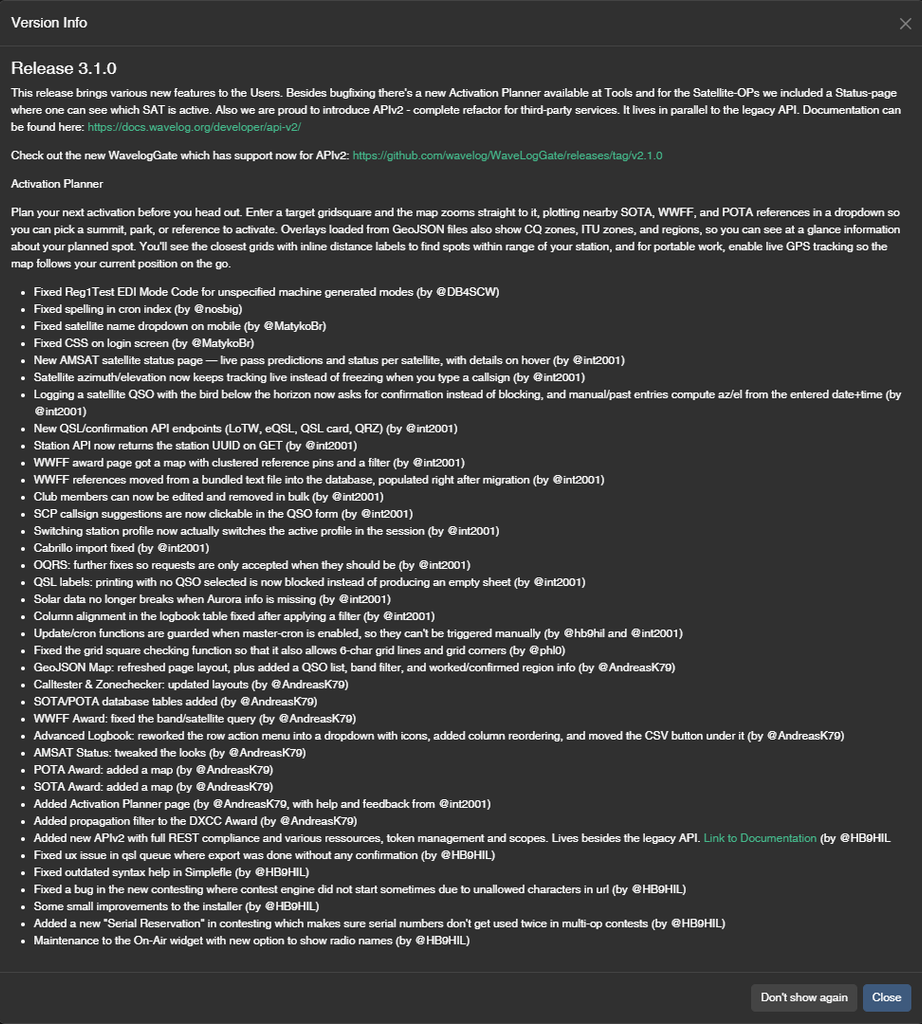
Check:
- Login works
- Dashboard opens
- Existing QSOs are visible
- ADIF import works
- External integrations work
Check the application logs:
/var/www/wavelog/application/logs/Example:
tail -f /var/www/wavelog/application/logs/*Update System Packages Regularly
Wavelog updates are only one part of server maintenance.
Regularly update AlmaLinux:
dnf update -yRestart the server if required:
rebootRecommended Update Workflow
A safe update routine:
- Check available Wavelog updates
- Create a database backup
- Create a file backup
- Update using Git
- Test the application
Following this procedure minimizes the risk of losing logbook data. Wavelog can now be maintained safely with a predictable update process.